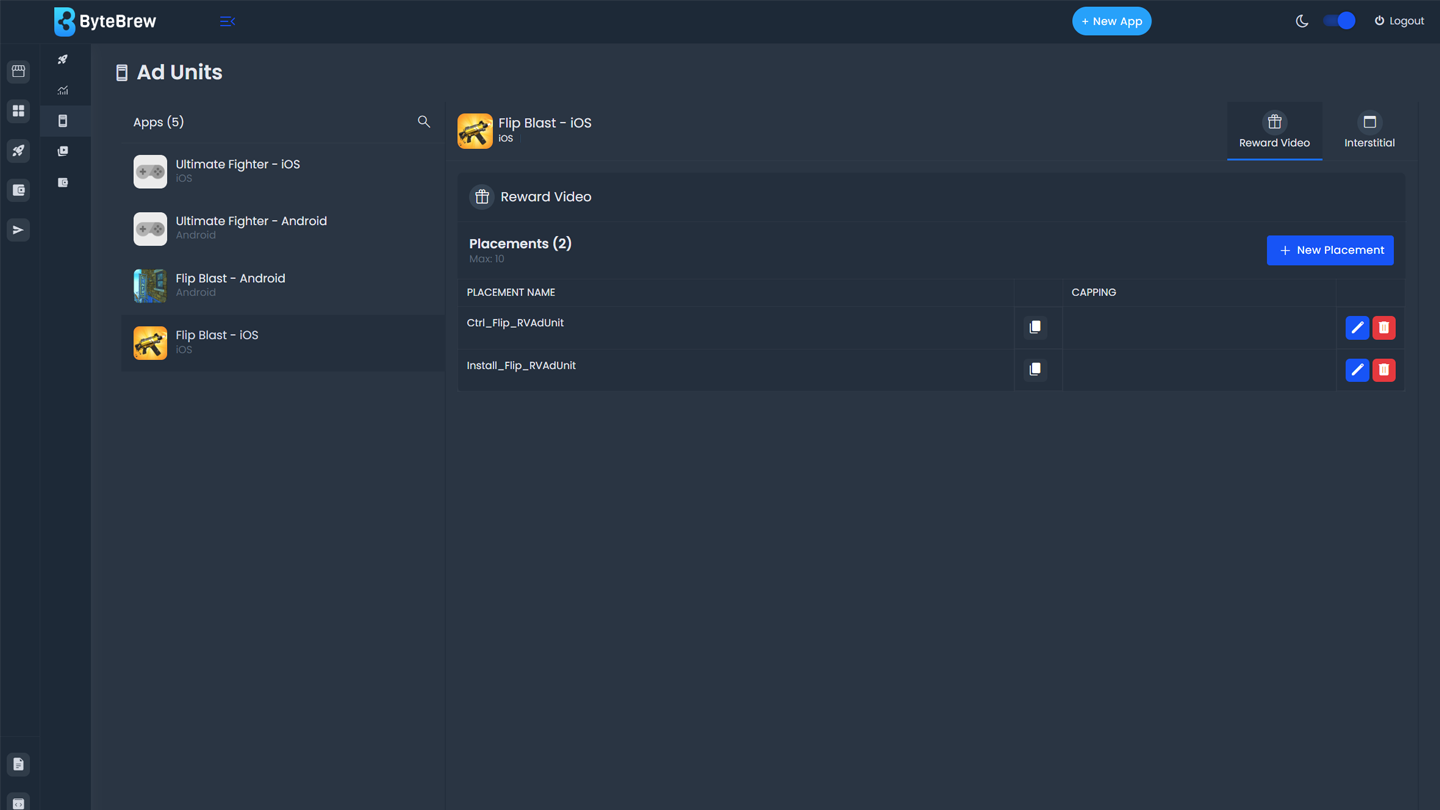
Required to Start using Ad Units
To start using Ad Units, you must have completed the following items in the table below:
| Initialize ByteBrew | Initialize both ByteBrew SDK and ByteBrew Ads in your app. |
|---|---|
| Implement App Monetization Tracking | Implemented Ad Event Tracking and In-App Purchase Validation in your SDK integration for Ctrl powered LTV and Retention Campaigns. |
| Create Ad Units | Created your app's Ad Units and implemented them into your app. |
| Setup Finance Account | Completed your account's finance setup in the Finance dashboard. |
Ad Units
Ad Units are organized under the apps you have created on the platform. There are two types of Ad Units you can create in an app for ByteBrew Ads, Interstitial and Reward Video. Continue to learn how to create each ad unit.
Interstitial Ad Units
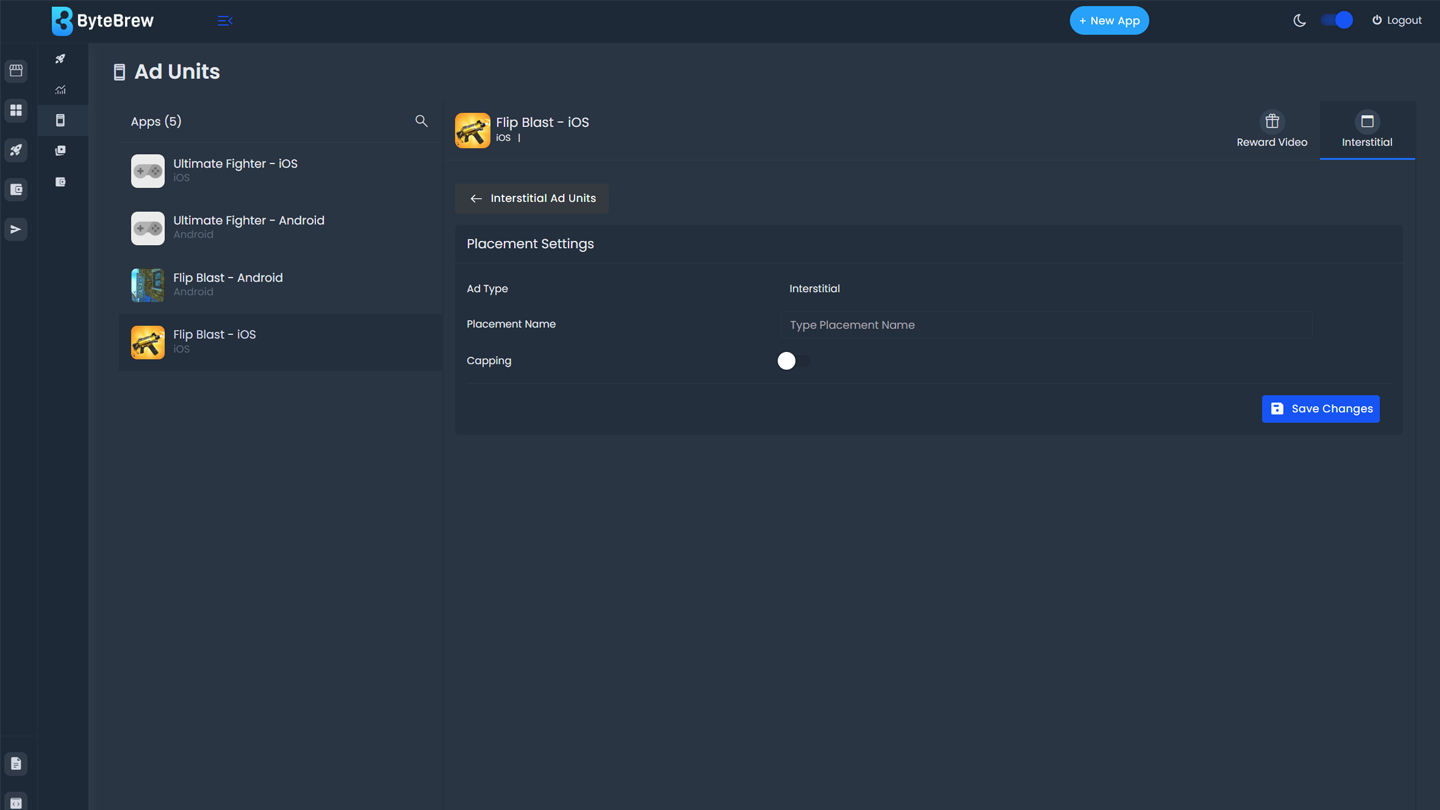
To create an ad unit for Interstitial ad placements under the Ad Units page follow these steps.
Select the app where you'll be add the Ad Unit.
Select the Interstitial Tab.
Select button to create a new Ad Unit.
Input the ad unit name.
Optional: Input a Cap per session. Note: Adding a frequency cap will restrict the number of impressions a user can see per session based on the imputed value. Inputting a small value can limit campaign results. (Available by request only)
After creating the ad unit, the Ad Unit ID will be created to use in your implementation.
Reward Video Ad Units
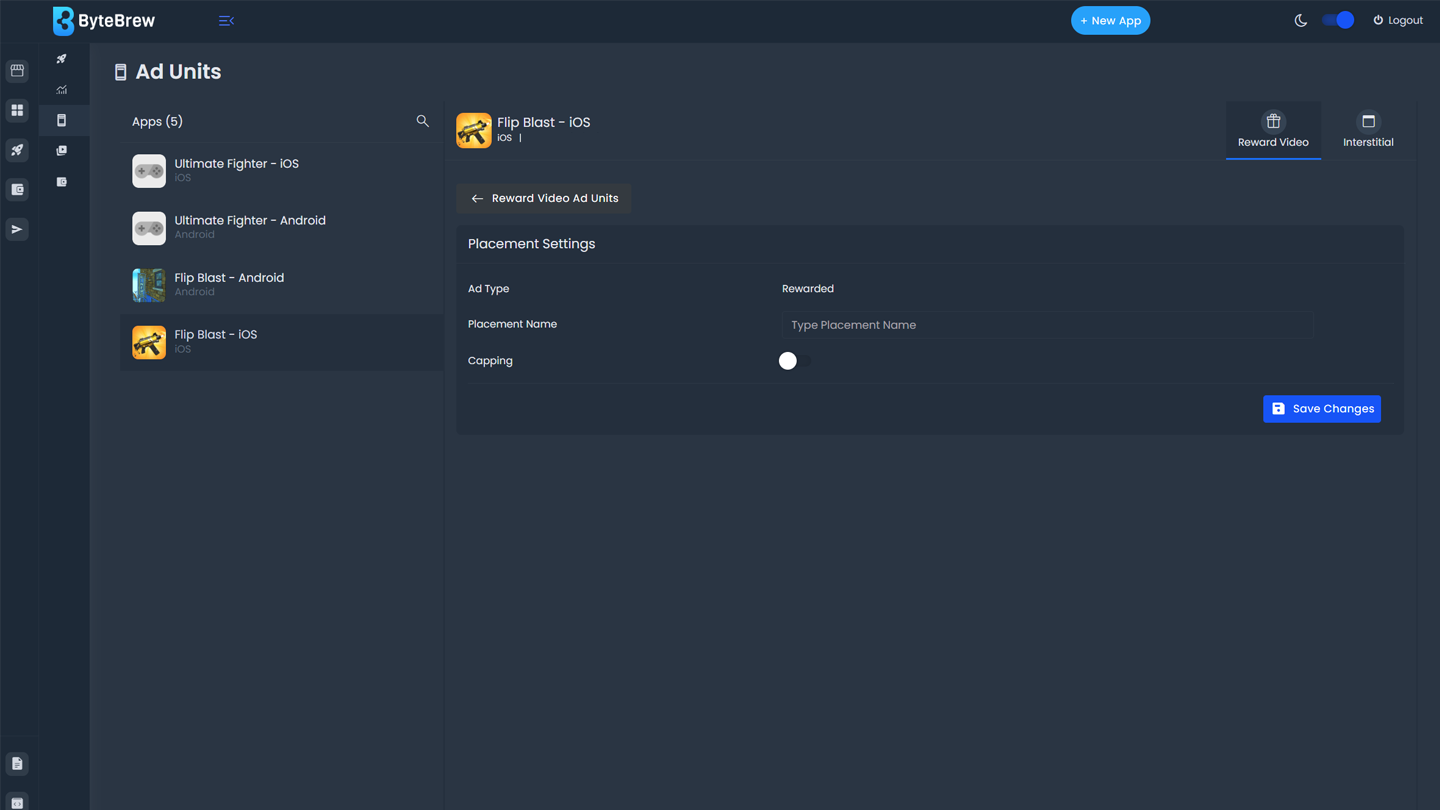
To create an ad unit for Reward Video ad placements under the Ad Units page follow these steps.
Select the app where you'll be add the Ad Unit.
Select the Reward Video Tab.
Select button to create a new Ad Unit.
Input the ad unit name.
Optional: Input a Cap per session. Note: Adding a frequency cap will restrict the number of impressions a user can see per session based on the imputed value. Inputting a small value can limit campaign results. (Available by request only)
After creating the ad unit, the Ad Unit ID will be created to use in your implementation.
Testing Ad Unit IDs
To test Ad Units are functioning in your app, input the the Test Ad Unit ID’s below in your app. During tests, a test creative is displayed.
Interstitial
2cf192fb-a73c-4083-9303-405acc011eb7
Reward
284c18bf-3cc8-4f4a-8cc2-a76d80cc3550
Removing Ad Units
To remove an ad unit from you app, select the red remove button.
FAQs
No, ByteBrew Ads currently only supports Interstitial and Reward Video ads.
Yes, under the Ad Unit settings you can add a frequency cap per session.